· The Talkera team· 6 min read
ManyChat and voice messages: can your chatbot understand Arabic voice notes?
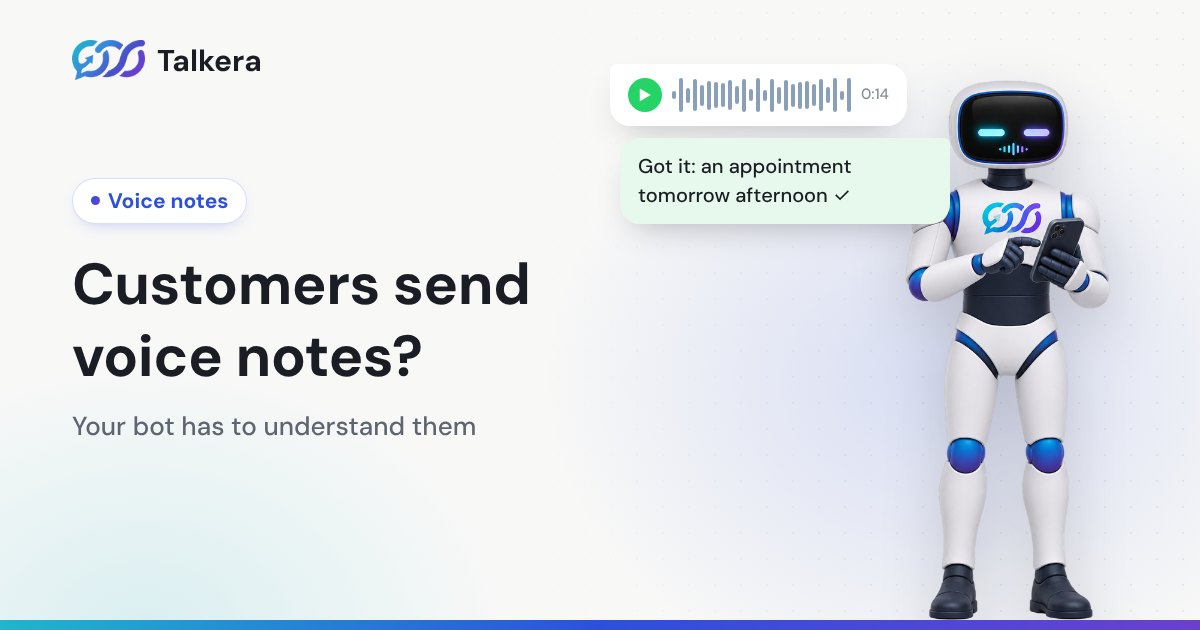
In the Gulf, many customers send a voice note instead of typing, and a bot that can't understand audio leaves that customer without an answer. This guide explains what actually happens when a voice note reaches ManyChat, the workarounds and what they cost, and how to choose a chatbot that understands Arabic voice notes.
In short
- ManyChat does not natively understand what a voice note says; it can receive it as a file in a WhatsApp "User Input" step.
- Turning voice into text in ManyChat needs outside tools such as Make and a speech-to-text model, each with its own cost.
- Arabic voice is hard not only because of audio, but because of dialects, local words and mixed Arabic and English.
- Some tools transcribe voice themselves; WATI, for example, says so on its site.
- Talkera understands Arabic voice notes and dialects directly and replies in text from your business information.
Why voice notes matter in the Gulf
Many customers prefer speaking to typing: it's faster, easier while driving or working, and carries the full detail of the question. WhatsApp itself added voice message transcripts in November 2024, because voice messages are a core part of how people communicate.
For a business, the problem is that every voice note needs someone to listen. A team can't listen to dozens of voice notes at peak time, and those that arrive after hours wait until morning.
What happens when a customer sends ManyChat a voice note?
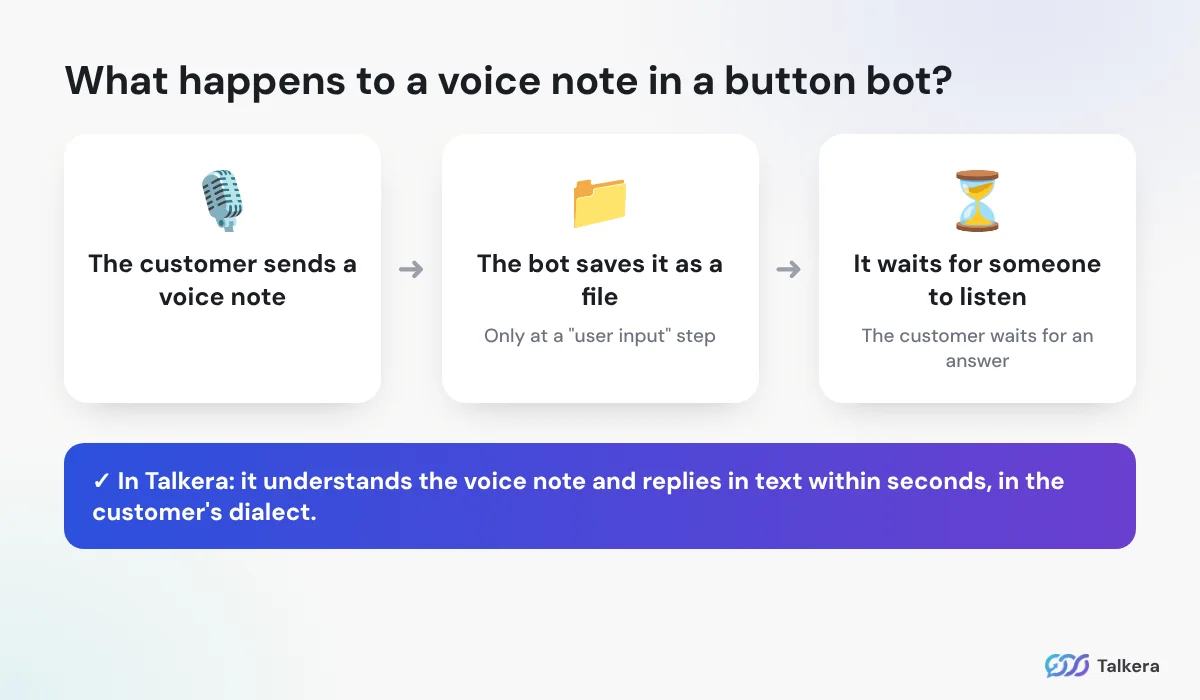
According to ManyChat's announcement in its official community in April 2025, the WhatsApp "User Input" step can now receive voice messages. That means a bot can save the audio file if it is waiting for the customer's answer at that specific step.
That is not the same as understanding it:
- The file is saved, not understood: the bot doesn't know what the customer said and can't answer the question itself.
- Outside the input step: if the customer sends a voice note at any other moment, there is no clear automatic path to understand it, judging by what users discuss in the official community.
- Your team listens manually: in most cases, the voice note sits in the inbox until someone hears it.
Workarounds to understand voice notes in ManyChat
The common approach connects ManyChat to an outside automation tool that sends the audio to a speech-to-text model, then returns the text to the bot so it can answer.
Option 1: ManyChat + Make + a speech-to-text model
Users in ManyChat's official community describe this setup:
- The bot receives the voice note in a "User Input" step and saves the file link.
- A Make scenario takes the link and sends the file to a speech-to-text model, such as OpenAI's.
- The text goes to an AI model that writes the reply.
- The reply returns to ManyChat and is sent to the customer.
Cost: a ManyChat subscription (WhatsApp from Pro at $29 a month billed yearly), Make (the free plan includes 1,000 credits a month; paid plans per their pricing page), transcription (OpenAI's gpt-transcribe at $0.0045 per minute, per its page), and the cost of generating the reply.
Drawbacks: it needs technical skills to build and maintain, every tool in the chain is a point that can break, and each step adds delay.
Option 2: a person listens and replies
The simplest and most accurate, but slower and more expensive, and it doesn't cover nights and weekends.
Option 3: a tool that understands voice itself
Some customer-service tools transcribe voice inside the platform. WATI, for example, lists voice-message transcription with Arabic support. Talkera understands the voice note and answers it directly from your business information.
Comparing ways to handle voice notes
| Method | What it needs | Cost | Dialect accuracy |
|---|---|---|---|
| A person listens and replies | Someone available at all hours | Salary and staff time | High, but slow outside working hours |
| ManyChat "User Input" step only | A flow waiting for the customer's answer | Included in the plan | No automatic understanding; the file is only saved |
| ManyChat + Make + speech-to-text | Technical skills and accounts on 3 tools | ManyChat + Make + about $0.0045/min + reply generation | Depends on the model; Gulf dialects need testing |
| A tool that understands voice directly (e.g. Talkera) | Connect the channel and add your information | Included in the plan | Built for Arabic and its dialects; test it yourself in the trial |
Prices from the official ManyChat, Make and OpenAI pages on 26 November 2026.
Why Arabic voice notes are harder
Arabic speech-to-text is not like English, for three reasons:
- Dialects: the same question sounds different across the region: "kam al-si'r?", "bikam?", "shkathar?", "b'addesh?". A model trained on Modern Standard Arabic can miss local words.
- Code-switching: customers say "abgha ahjiz appointment bukra" in one sentence, mixing Arabic and English.
- Recording conditions: street or car noise, fast speech, long messages.
So "transcribing" isn't enough. The bot has to understand the intent and answer from your correct information, and when it doesn't understand, hand the chat to a person instead of guessing.
How Talkera understands voice notes
Talkera understands voice notes on WhatsApp and website chat directly, with no outside integration, and replies in text from your business information:
- The customer sends a voice note in their dialect.
- The assistant transcribes it and understands the question.
- It replies in text, in the customer's dialect, only from your business information; if the answer is missing, it says the team will follow up.
The recording and its transcript stay in the conversation, so your team can listen at any time. Voice replies are not available yet; replies are in text. See voice notes, Arabic dialects and the full Talkera vs ManyChat comparison.
Frequently asked questions
Does ManyChat understand voice messages?
Not natively. ManyChat can receive a voice message as a file in a WhatsApp "User Input" step, but understanding and answering its content needs outside tools such as Make and a speech-to-text model, as users describe in ManyChat's official community.
Which WhatsApp chatbot understands Arabic voice notes?
Talkera understands Arabic voice notes and dialects directly on WhatsApp and website chat, and replies in text from your business information. Some other tools, such as WATI, list voice-to-text transcription with Arabic support. Test any tool with a voice note in your dialect before subscribing.
How much does voice-to-text transcription cost?
If you build it yourself, you pay the speech-to-text model by the minute, such as OpenAI's gpt-transcribe at $0.0045 per minute, plus the automation tool and reply generation. In tools that understand voice themselves, such as Talkera, the cost is included in the plan.
Can a chatbot understand Gulf dialects in voice notes?
It depends on the tool. Models trained on Modern Standard Arabic can miss local words and mixed Arabic and English. Talkera is built for Arabic and its dialects: Gulf, Omani, Egyptian, Levantine and Modern Standard Arabic. The surest test is sending a voice note in your own dialect during the trial.
Can the chatbot reply with a voice message?
In Talkera, replies are in text for now; voice replies are not available. A written reply stays clear for both the customer and your team and can be checked later. In ManyChat, sending audio to the customer depends on what the bot's flow and connected tools allow.
Sources (reviewed 26 November 2026)
- ManyChat: audio handling in WhatsApp User Input (April 2025)
- ManyChat community: voice transcription via Make and Whisper
- ManyChat community: request for native voice and image understanding (August 2025)
- ManyChat pricing
- Make pricing (free plan: 1,000 credits a month)
- OpenAI gpt-transcribe ($0.0045 per minute)
- WATI voice-message transcription
- WhatsApp, voice message transcripts (November 2024)